
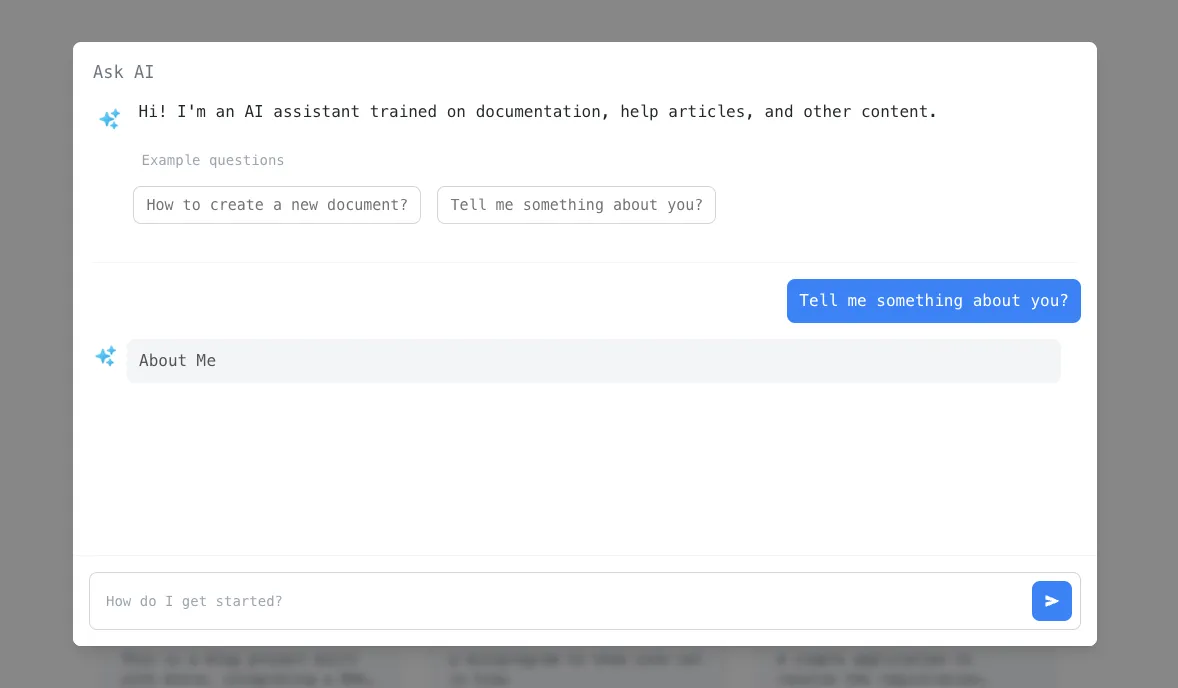
Recently, LLMs have become very popular, and many documentation websites have added RAG-based Q&A, which seems quite interesting. So, I tried it myself. It’s not complicated to implement. Here, I use DeepSeek’s API, but you can replace it with other LLM model interfaces.
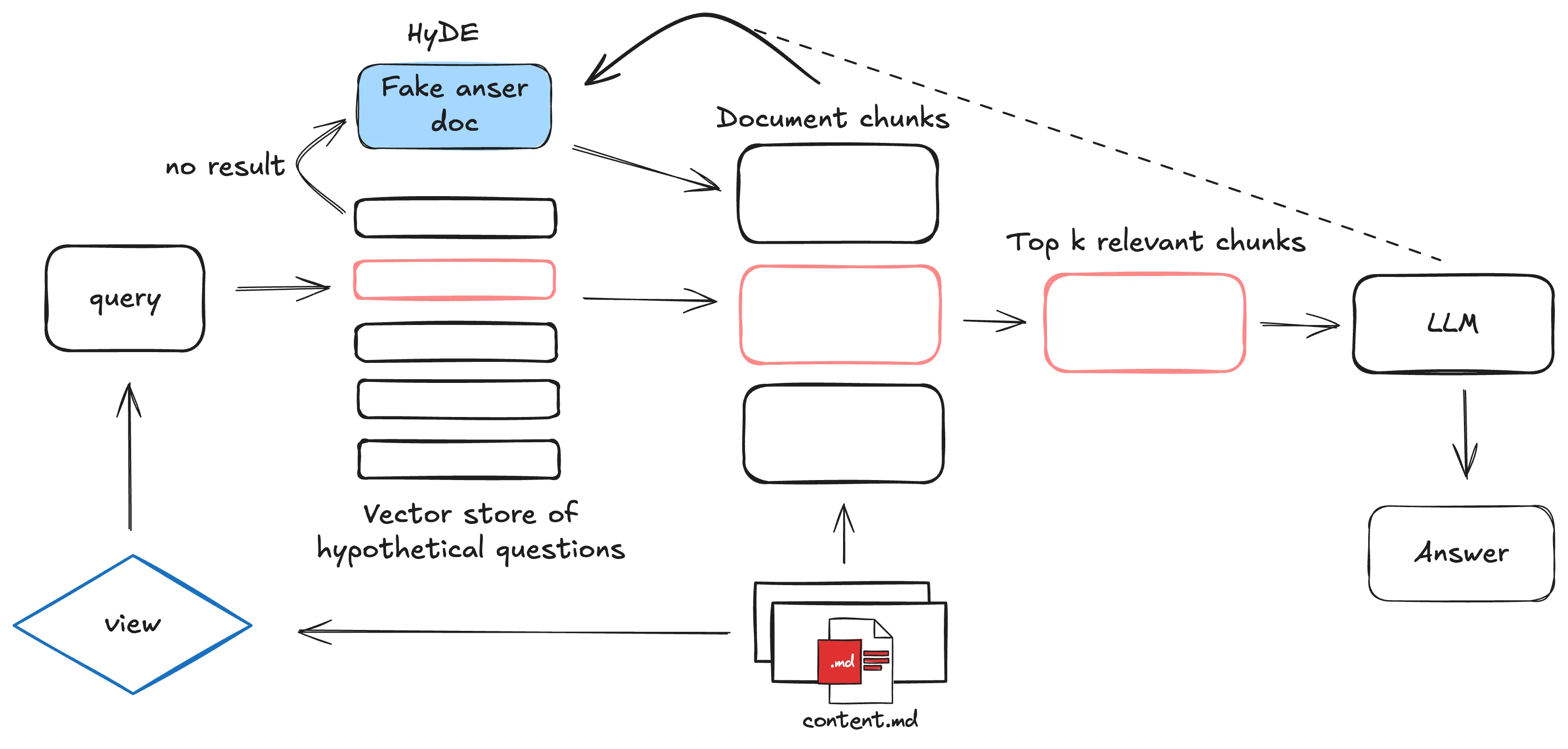
Knowledge Base Construction and Embedding
Prepare the Environment
Install the following dependencies. It is recommended to use Miniconda to start a virtual environment.
pip install pymilvus openai flask tqdm
### Build the RAG Knowledge Base```pythonimport osfrom glob import globfrom tqdm import tqdmfrom openai import OpenAIfrom pymilvus import MilvusClient, model as milvus_model
os.environ["DEEPSEEK_API_KEY"] = "..............."  # Please fill in your own key here
# Extract text from Markdown filestext_lines = []for file_path in glob("../../src/content/**/*.md", recursive=True):    with open(file_path, "r", encoding="utf-8") as file:        file_text = file.read()    text_lines += file_text.split("# ")
# Initialize DeepSeek clientdeepseek_client = OpenAI(    api_key=os.environ["DEEPSEEK_API_KEY"],    base_url="https://api.deepseek.com")
embedding_model = milvus_model.DefaultEmbeddingFunction()
# Initialize Milvus clientmilvus_client = MilvusClient(uri="./blog_rag.db")collection_name = "blog_rag_collection"
# If the collection exists, delete it firstif milvus_client.has_collection(collection_name):    milvus_client.drop_collection(collection_name)
# Create a collectionmilvus_client.create_collection(    collection_name=collection_name,    dimension=768,    metric_type="IP",    consistency_level="Strong",)
# Generate embeddings and insert them into Milvusdata = []doc_embeddings = embedding_model.encode_documents(text_lines)
for i, line in enumerate(tqdm(text_lines, desc="Creating embeddings")):    data.append({"id": i, "vector": doc_embeddings[i], "text": line})
milvus_client.insert(collection_name=collection_name, data=data)
print("RAG system built successfully!")
Code Explanation
- Text Extraction : Extract text from Markdown files in the specified directory and split paragraphs by # .
- Text Embedding : Use DeepSeek’s embedding model to convert text into vectors.
- Milvus Collection Management : Create or delete a collection named blog_rag_collection .
- Data Insertion : Insert embedding vectors and original text into the Milvus collection.
Interface Implementation
Here, a simple interface is written using Flask.
from flask import Flask, request, jsonifyfrom openai import OpenAIfrom pymilvus import MilvusClient, model as milvus_modelfrom flask_cors import CORS
app = Flask(__name__)
CORS(app, resources={r"/*": {"origins": "*"}})
deepseek_client = OpenAI(    api_key=".............",    base_url="https://api.deepseek.com")
milvus_client = MilvusClient(uri="./blog_rag.db")collection_name = "blog_rag_collection"
embedding_model = milvus_model.DefaultEmbeddingFunction()
SYSTEM_PROMPT = """Human: You are an AI assistant. You are able to find answers to the questions from the contextual passage snippets provided."""
@app.route("/ask", methods=["POST"])def ask_question():    """    API endpoint to ask a question and get an answer from the RAG system.    """    data = request.json    question = data.get("question")    if not question:        return jsonify({"error": "Question is required"}), 400
    # Retrieve relevant text    search_res = milvus_client.search(        collection_name=collection_name,        data=embedding_model.encode_queries([question]),        limit=3,        search_params={"metric_type": "IP", "params": {}},        output_fields=["text"],    )
    context = "\n".join([res["entity"]["text"] for res in search_res[0]])
    # Construct user question prompt    USER_PROMPT = f"""    Use the following pieces of information enclosed in <context> tags to provide an answer to the question enclosed in <question> tags.    <context>    {context}    </context>    <question>    {question}    </question>    """
    # Use DeepSeek LLM to generate an answer    response = deepseek_client.chat.completions.create(        model="deepseek-chat",        messages=[            {"role": "system", "content": SYSTEM_PROMPT},            {"role": "user", "content": USER_PROMPT},        ],    )
    return jsonify({"answer": response.choices[0].message.content})
@app.route("/chat_mock", methods=["POST", "GET"])def chat_mock():    """    API endpoint to get raw matched contents from RAG system for debugging.    Supports both POST and GET methods.    """    if request.method == "POST":        data = request.json        question = data.get("question")    else:  # GET method        question = request.args.get("question")
    if not question:        return jsonify({"error": "Question is required"}), 400
    # Retrieve relevant text    search_res = milvus_client.search(        collection_name=collection_name,        data=embedding_model.encode_queries([question]),        limit=3,        search_params={"metric_type": "IP", "params": {}},        output_fields=["text"],    )
    matched_contents = [        {            "text": res["entity"]["text"],            "score": res["distance"]        } for res in search_res[0]    ]
    return jsonify({        "question": question,        "matched_contents": matched_contents    })
if __name__ == "__main__":    app.run(host="0.0.0.0", port=5500)
Code Explanation
- Retrieve Relevant Text : Generate embedding vectors based on user questions and retrieve the most relevant text fragments from Milvus.
- Construct Prompt : Combine the retrieved text fragments and user questions into a complete prompt for LLM use.
- Generate Answer : Call DeepSeek’s LLM to generate the final answer.
- Debug Interface : The /chat_mock interface is used for debugging, allowing you to view the retrieved relevant text and its scores.